Founding pilot · Mac + phone

See yourself move while your phone records.

Scan the QR code on your Mac, connect your phone camera, then position it using the large live view. Record, review, trim, name, and export clean clips through the channel your practitioner already uses.

  • Free
  • No card
  • Invitation-only
  • 42 days
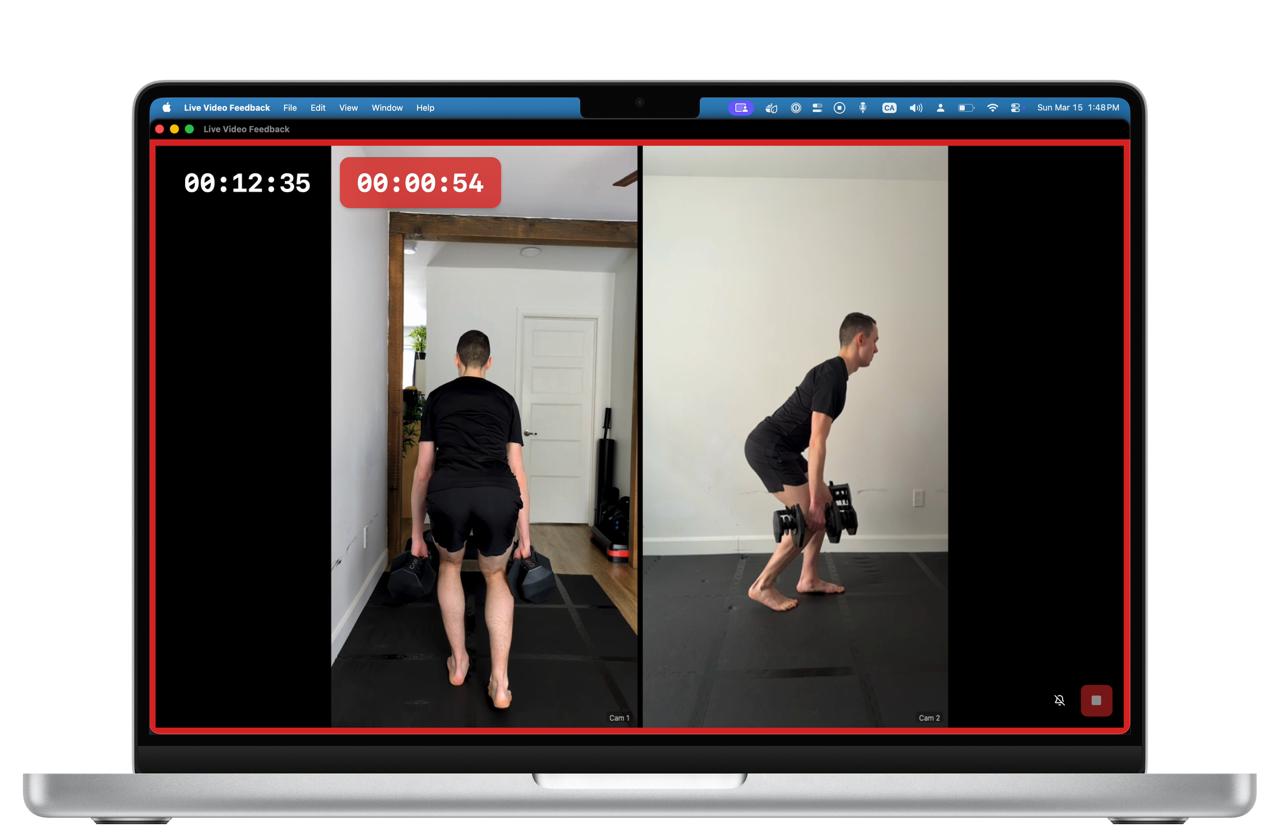
Live Video Feedback showing two live phone-camera angles on a Mac
Large live self-view Your recordings remain on your Mac.

The participant journey

Scan first. Position with the live view.

The Mac gives you the QR code and the monitor. The phone becomes the camera. LVF keeps the live view and clip-preparation workflow together.

  1. 1

    Open the Mac app

    Your connection code is waiting on the Live screen.

  2. 2

    Scan the QR

    Open the phone page before placing the phone.

  3. 3

    Allow the camera

    Choose the phone camera and connect securely.

  4. 4

    Position the phone

    Use the Mac live view to frame the requested angle.

  5. 5

    Record and prepare

    Review, name, trim, and organize each local clip.

  6. 6

    Export and upload

    Use the sharing channel you already have.

Large Live Video Feedback view showing movement from two phone-camera angles

The primary experience

Watch your framing and movement live.

The computer becomes the monitor you cannot see when your phone is across the room. Adjust the angle or where you stand before recording another take.

LVF does not diagnose movement or replace your practitioner’s judgment.
Supporting workflow

Prepare the batch without leaving the app.

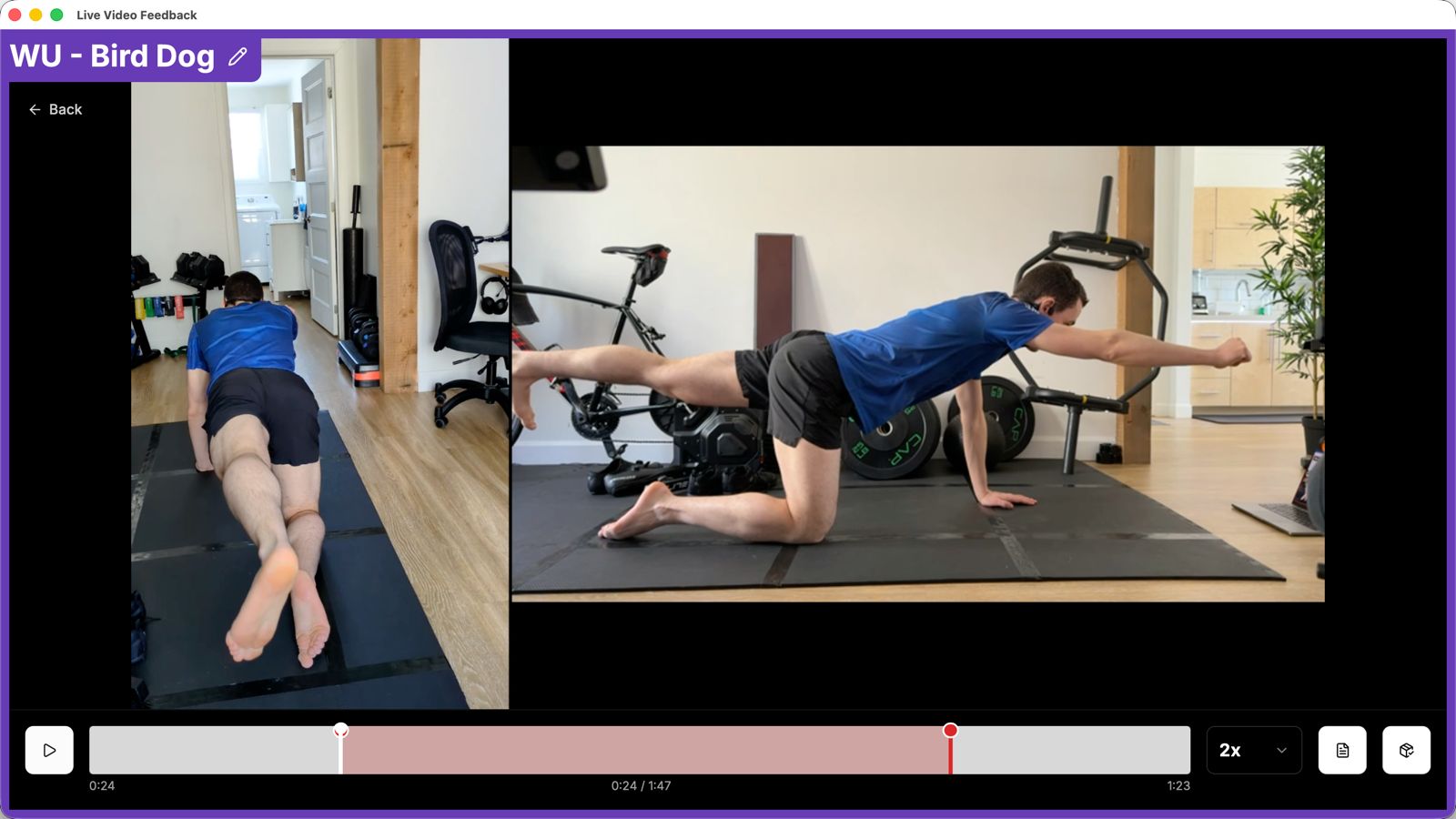
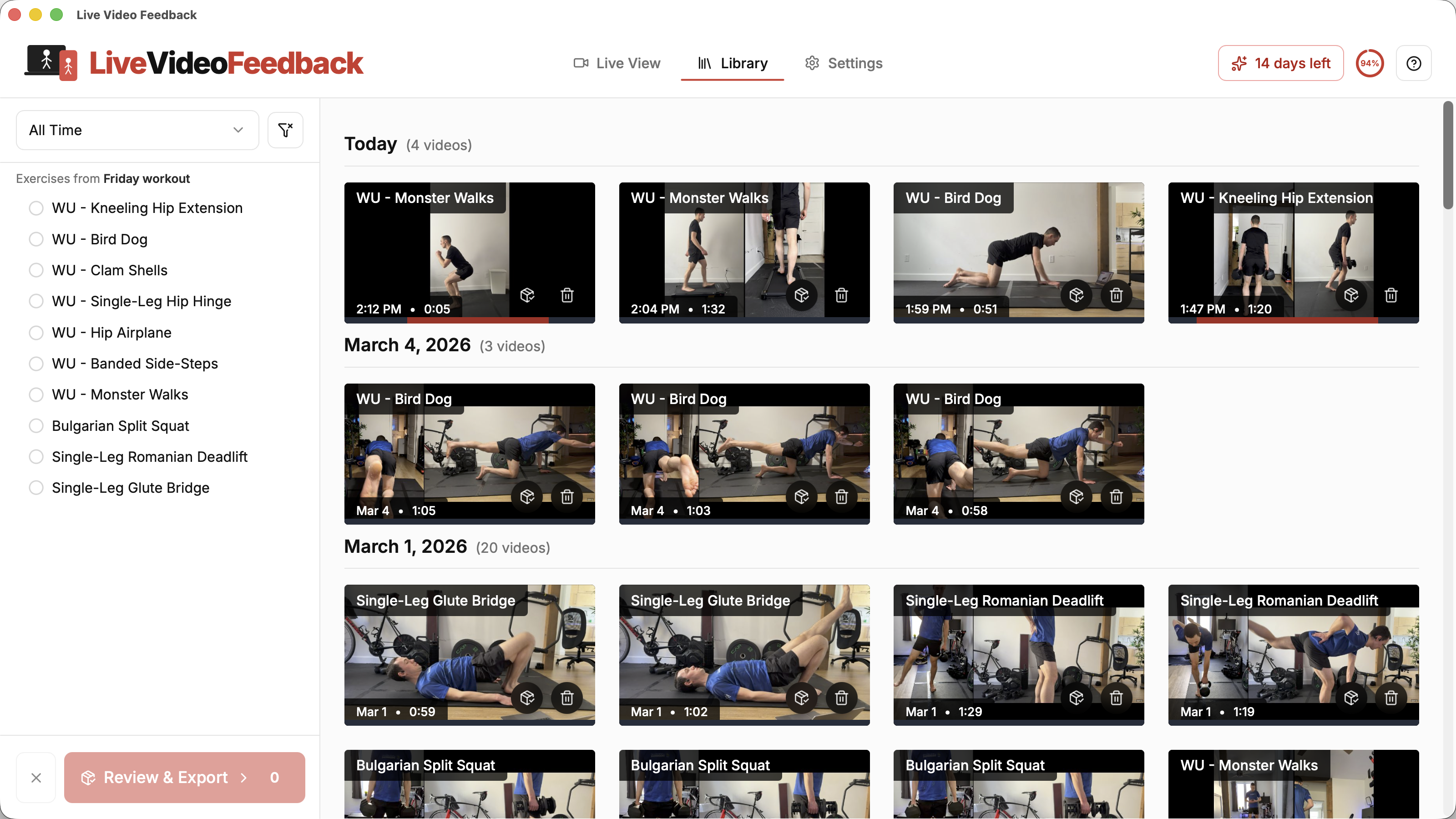
Review the take, assign an exercise name, trim setup and cleanup, organize your local library, and export ordinary video files when you are ready.

Local Live Video Feedback library with clips organized by exercise and date

Free founding pilot

Help shape the workflow before a broader release.

We are inviting a small number of adults already recording rehabilitation movements for a practitioner. The pilot is a focused 42-day collaboration rather than self-serve access or a public launch.

Access is reviewed individually so we can support the complete setup and learn from real repeated use.

The founding pilot includes

  • Free access with no card or payment
  • A personal access key for the Mac app
  • Hands-on setup and recovery support
  • Short feedback check-ins about the workflow
  • Recordings and exercise names that remain local
  • A Mac and compatible phone requirement
Request pilot access

Requesting access does not guarantee admission.

Privacy and limits

Local recordings. Honest claims.

LVF uses online services for connection signaling, access verification, updates, and optional product telemetry. It does not upload your recordings to LVF cloud storage.

Your videos stay local

Recordings, filenames, and exercise names remain on your computer unless you choose to export and share them.

Telemetry is limited

Optional diagnostics describe product steps and technical failures, never video content or health details.

Your practitioner still decides

LVF helps you see and capture movement. It does not verify form, diagnose, prevent injury, or guarantee safety.

A small, supported pilot

See whether LVF fits your real workflow.

Mac + phone · Free · Invitation-only · 42 days · No card

Request pilot access